Print
Print Email
Email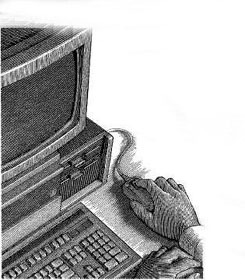
Phishing is a scam where Internet fraudsters send spam or pop-up messages to lure personal and financial information from unsuspecting victims.
Have you received email with a similar message? It's a scam called "phishing" - and it involves Internet fraudsters who send spam or pop-up messages to lure personal information (credit card numbers, bank account information, Social Security number, passwords, or other sensitive information) from unsuspecting victims.
Phishers send an email or pop-up message that claims to be from a business or organization that you may deal with - for example, an Internet service provider (ISP), bank, online payment service, or even a government agency. The message may ask you to "update," "validate," or "confirm" your account information. Some phishing emails threaten a dire consequence if you don't respond. The messages direct you to a website that looks just like a legitimate organization's site. But it isn't. It's a bogus site whose sole purpose is to trick you into divulging your personal information so the operators can steal your identity and run up bills or commit crimes in your name.
- Don't reply to email or pop-up messages that ask for personal or financial information, and don't click on links in the message. Don't cut and paste a link from the message into your Web browser - phishers can make links look like they go one place, but that actually send you to a different site.
- Some scammers send an email that appears to be from a legitimate business and ask you to call a phone number to update your account or access a "refund." Because they use Voice over Internet Protocol technology, the area code you call does not reflect where the scammers really are. If you need to reach an organization you do business with, call the number on your financial statements or on the back of your credit card.
- Use anti-virus and anti-spyware software, as well as a firewall, and update them all regularly.
- Don't email personal or financial information.
- Review credit card and bank account statements as soon as you receive them to check for unauthorized charges.
- Be cautious about opening any attachment or downloading any files from emails you receive, regardless of who sent them.
- Forward phishing emails to spam@uce.gov - and to the company, bank, or organization impersonated in the phishing email. You also may report phishing email to reportphishing@antiphishing.org. The Anti-Phishing Working Group, a consortium of ISPs, security vendors, financial institutions and law enforcement agencies, uses these reports to fight phishing.
- If you've been scammed, visit the Federal Trade Commission's Identity Theft website at ftc.gov/idtheft.