
Free and Premium Website Features!
Set up a great community website completely for free!
Want more features? Set up a premium site for only $199 a year!
Not Sure? Start with a free site and easily upgrade anytime.
- Great Website Packed with Features!

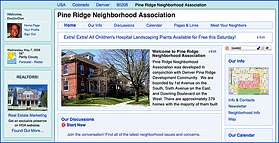
Your community website is great looking, easy to use, and it comes loaded with features!
Move your mouse over the features grid on the left to see more feature details!
- Unlimited Residents/Neighbors
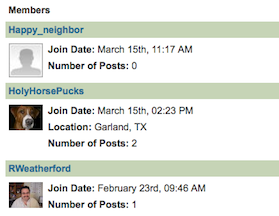
There are no limits or charges associated with the number of residents, neighbors, or members in your HOA.
Also, there are never any setup fees or add-on charges.
- Photos, Photos, and More Photos...
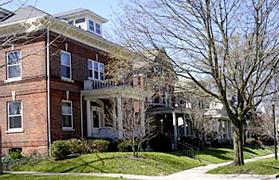
Photos are a great way to customize your website so that it reflects the feel and character of your HOA, neighborhood, or organization.
You can add an unlimited number of photos to an unlimited number of web pages.
- Unlimited Document Storage
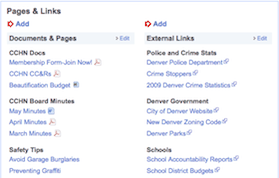
Unlimited document storage provides you all the space you will need for documents, photos, and data.
- Discussion Forums
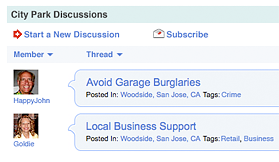
Discussion forums allow members of your organization to communicate with each other.
Members can subscribe and receive an email anytime there is a new response to a post.
The Discussion Forums can be completely disabled in the premium product.
- Events Calendar
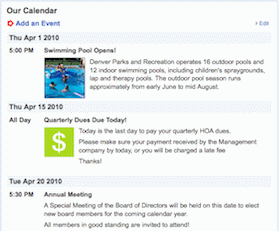
Your events calendar allows you to post upcoming events like board meetings, social events, and reminder dates for things like dues payments.
Events are automatically deleted after the event date. There is also a mini-calendar on the home page.
- Unlimited Newsletter Archive
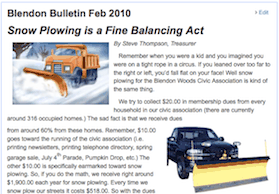
Our easy to use newsletter editor allows you to create great newsletters with photos and text from scratch online.
You can even save them as PDFs for later printing and mailing.
Of course you can also upload unlimited already created PDF, Word, or text newsletters.
- HOA/Neighborhood Information
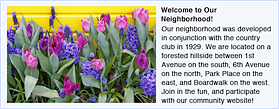
Provide informative, timely and eye catching information for residents and visitors.
- Resident/Neighbor Pages
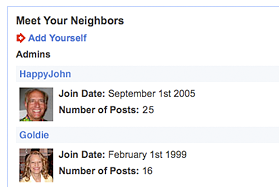
All of your members, neighbors, or residents are provided a "Facebook" like profile that they can fill out with pictures and personal information.
These kinds of social networking tools help build a thriving online community.
- Detailed Map
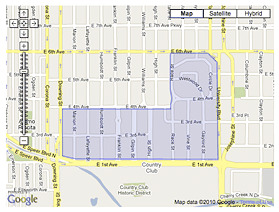
An editable and interactive map of your geographic boundaries provides useful information to visitors and potential new residents/neighbors.
- Search Engine Optimized
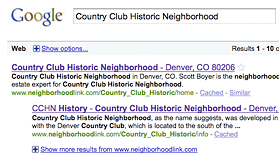
All of our websites are search engine optimized to give your website maximum exposure on the internet.
This will make it easy for neighbors and potential new residents to find your HOA or neighborhood by name, zip code, or city.
- Unlimited Additional Pages
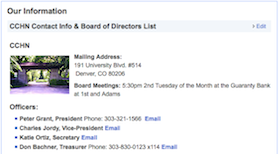
Our flexible editor allows you to easily create unlimited additional pages.
You can create new pages on the fly with photos and graphics and there is no need to know HTML.
You can even copy and paste directly from Microsoft Word.
- Library of Community Resources
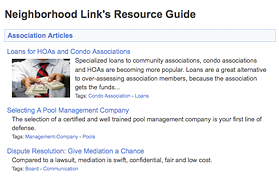
An entire library of extremely useful and timely articles is included at no cost.
Topics cover such things as how to create and run associations, FHA mortgages, healthcare, home improvement tax credits, and hundreds more.
- Unlimited Free Email Support
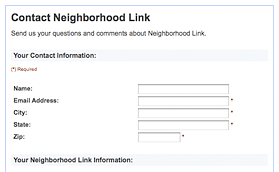
Great, unlimited support is provided by email.
Premium users receive priority, and are guaranteed a response within 1 business day.
- New Features and Upgrades
Both the free and premium sites are upgraded on a continuing basis.
New features are added primarily from feedback we get from our end users.
- Public and Private Areas
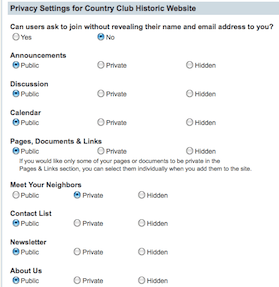
Different sections on your website may be deemed public, private, or hidden completely.
At your discretion, even in public areas, certain pages and documents may be made private.
This is very useful for restricting access to sensitive documents like financials or board minutes.
- Library of Design Styles
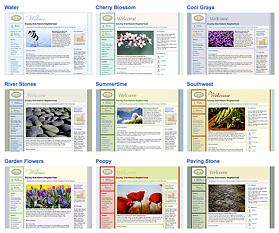
Numerous different flexible color schemes are provided for your website.
You can change them anytime you want with the click of a mouse.
A library of stock photos is also provided at no cost.
- Email Blast

Email Blast provides instant communication with members through simple-to-manage mailing lists.
Multiple email lists can easily be setup for committees, board members, etc.
There is no reason to pay extra for a separate email service!
- Administrative Controls
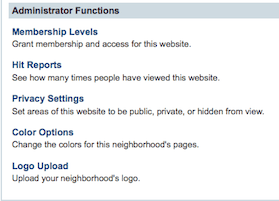
Simple and easy to use administrative controls are provided.
They allow you to control and administer membership levels on your website, privacy within your website, and display options such as colors and logos.
- Member Management
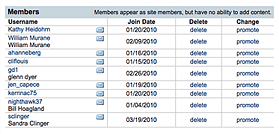
Member registration allows you to control who can view pages on your website.
An email notification is sent to the administrator(s) for every new registrant, and with a single click, you can approve/disapprove access.
- Discussion Forum Controls
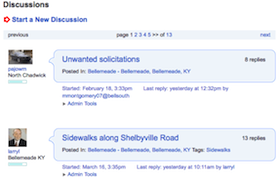
Complete control and moderation is provided in discussion forums.
Discussion forums can be made public, private, or disabled completely.
Moderation controls are also provided for deleting discussion threads.
- Domain Name
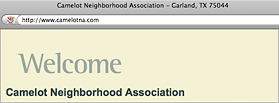
All premium websites are provided their own Unique Domain Name (ie: www.yourhoaname.com) to use as part of their annual fee. (Neighborhood Link Inc. owns all premium domains)
- 60 Day Money Back Guarantee

You must be fully satisfied!
We will refund your payment for any reason in the first 60 days.